Quotes and invoices
Make a quote from a deal, send it, invoice it once it is accepted, record the payment, credit an invoice, and set numbers and templates in Settings.
Who can do this: Whoever may edit quotes and invoices works them. Owners and Admins, or a role with Document templates, shape the templates. Only Owners and Admins void an invoice or issue a corrected one.
Sales makes the documents a sale needs. A quote starts from a deal, an invoice from the accepted quote, and a credit note from an invoice.
Turn it on#
Quotes and invoices come with Sales; there is no separate module. Switch Sales on in Explore modules: see Turn modules on and off. Before the first quote, complete the legal entity that issues it: see Complete your legal entity.
The chain#
| Document | Made from | Statuses |
|---|---|---|
| Quote | A deal | Draft, Sent, Accepted, Declined, Expired, Superseded |
| Invoice | An accepted quote, or a deal | Draft, Issued, Paid, Void; an issued one also reads Partially paid |
| Credit note | An issued invoice | Draft, Issued, Void |
A sales order is a separate document for goods you deliver. It sits beside this chain, not in it.
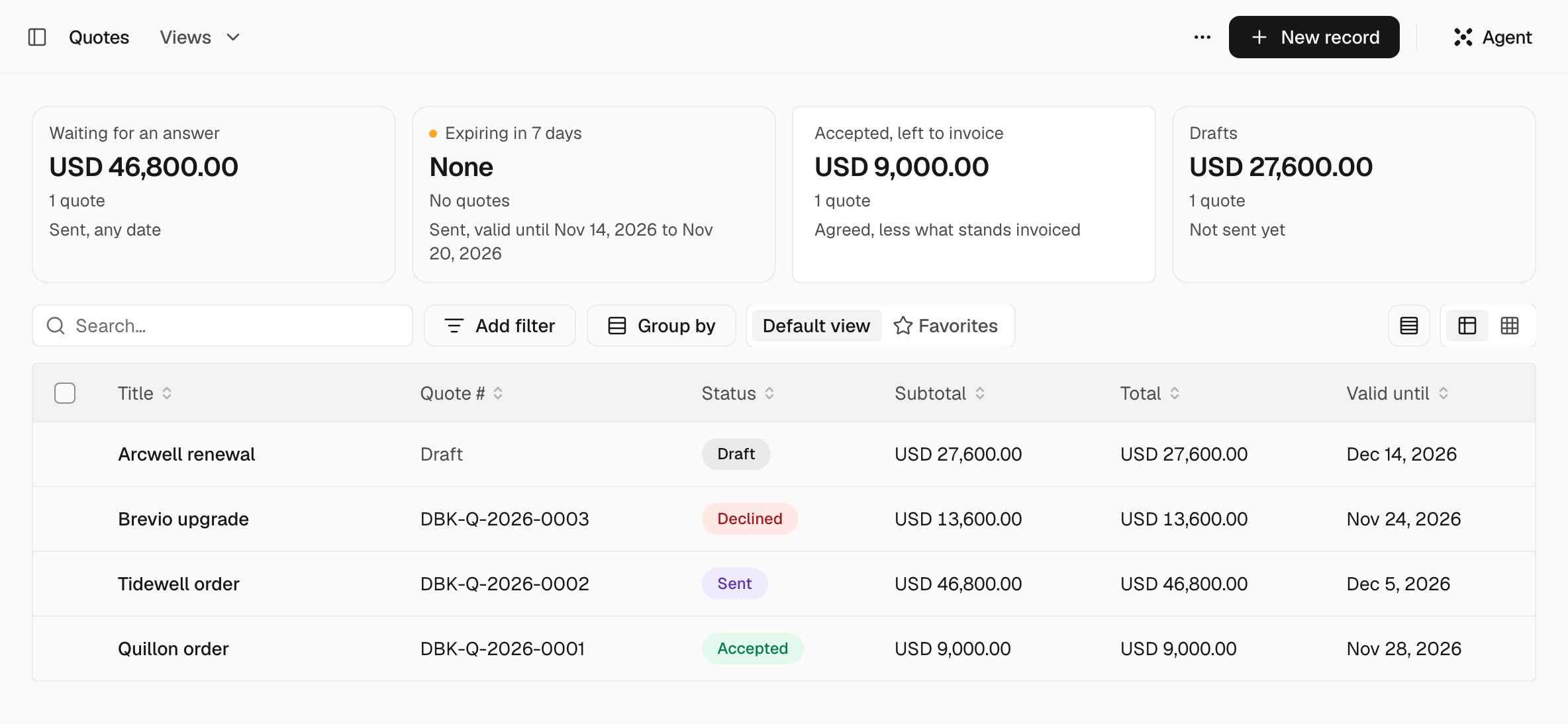
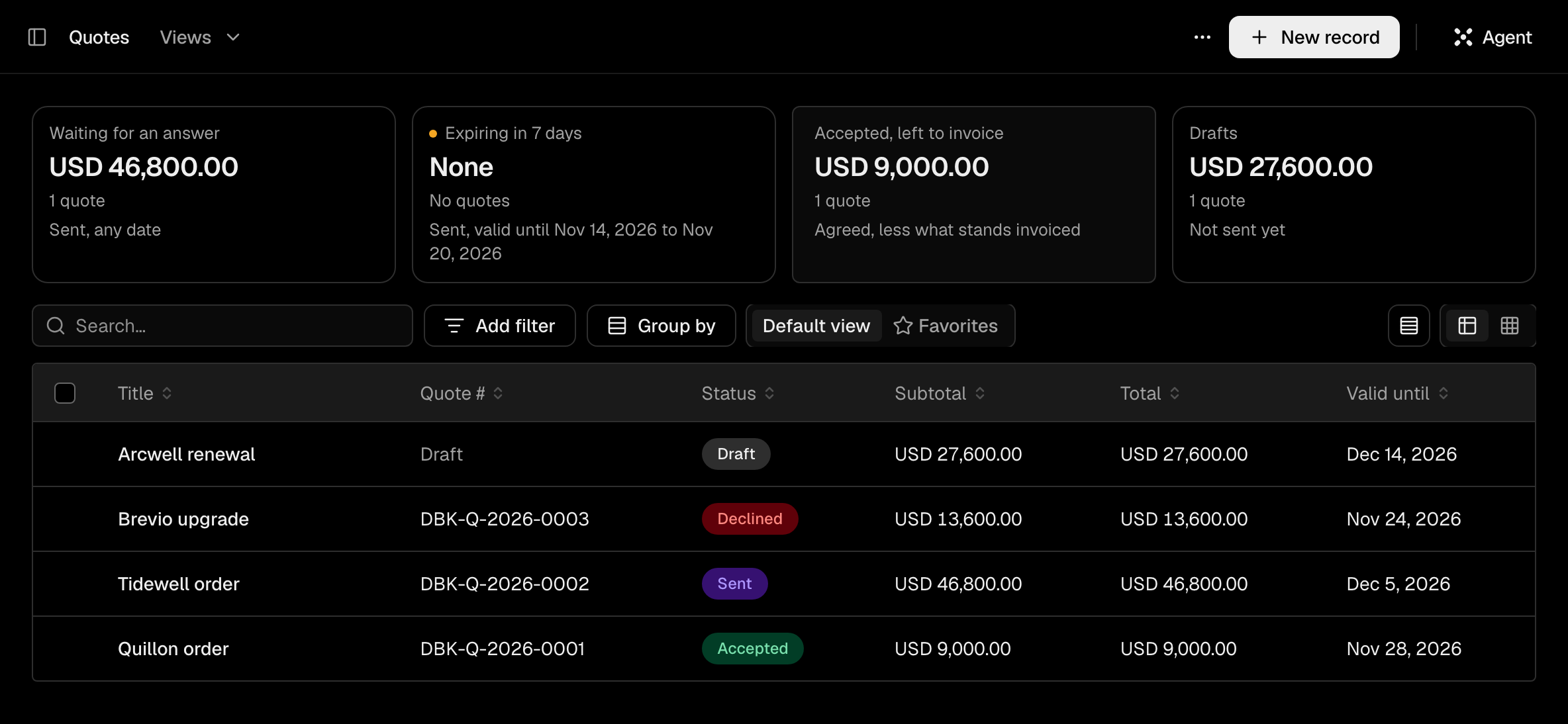
Quote a customer#
Make the quote#
In the deal's menu, choose Create quote. The lines come from the deal's line items; Update from deal copies them again and Add from catalog… adds a product. Set Valid until and Terms, and check Issued by, the legal entity the quote comes from. A quote has one currency.
Send it#
Choose Send quote. In the window, check From, To, Cc, Subject and Message. Keep Include a link to read and accept online ticked and the customer gets a page to answer on; the PDF goes with the email. Sending gives the quote its number and freezes its lines.
The email goes from your own mailbox: see Connect your mailbox. A quote you sent yourself is marked with Mark as sent in the More actions menu.
The customer answers#
On the page, the customer types Your full name and chooses Accept quote or Decline. If the answer came another way, choose Mark accepted or Mark declined yourself. Mark expired closes a quote that ran out.
Recall to draft takes a sent, declined or expired quote back to a draft, and its link stops answering. An accepted quote cannot be recalled: New revision supersedes it with a new draft.
When a quote is accepted, its deal moves to its Won stage: see Deals and pipelines.
Invoice and get paid#
Create the invoice#
On an accepted quote, choose Create invoice. The invoice takes the agreed lines. A quote may be invoiced in parts, and the Invoiced block shows what is left. Once it is all invoiced, Bill beyond the quote? asks you to confirm with Create invoice anyway. A deal can also start an invoice with no quote.
Issue and send it#
Choose Issue and send. The window is the quote's, with Include a link to the invoice page. Issuing gives the invoice its number and issue date and freezes it. Issue without sending does the same and sends nothing.
The invoice page shows Amount due, How to pay and your Payment details, with the number as the payment reference. Turn off link under More closes it.
Record the payment#
Choose Record payment and fill in Amount received, Date received and Reference (optional). If Daybook receives USD 500.00 against an invoice of USD 1,200.00, the window says it leaves USD 700.00 open and the invoice reads Partially paid. A payment that covers the rest makes it Paid. An approval rule can hold a payment until it is approved.
Credit, correct or void an invoice#
- Credit note opens Credit this invoice: for each line, Left to credit and Credit, and a Reason that prints on the note. Draft credit note saves it. Issuing it numbers it, works out the tax at the rate the invoice charged and reduces what the invoice is owed.
- Correct invoice makes a new version as a draft that replaces the old one when it is issued. Only Owners and Admins can issue it.
- Void invoice cancels the invoice, which keeps its number. This can't be undone, and only Owners and Admins can do it. Where the issuer's country corrects an invoice only by credit note, voiding is refused.
Numbers#
An issued document is numbered from the legal entity's Document prefix, the type and the fiscal year: DBK-INV-2026-0001 is Daybook's first invoice of 2026. The types are Q for quotes, INV for invoices, CN for credit notes and SO for sales orders.
A draft has no number. A quote gets one when it is sent, an invoice and a credit note when they are issued. The count starts again each fiscal year unless the issuer's country says otherwise, and invoice numbers have no gaps. Two legal entities cannot share a prefix.
Templates#
Settings > Organization > Document templates lists the templates of Quotes, Invoices and Credit notes. Until you make one, documents print in the Standard layout.
Choose New template and, under Start from, pick Modern, Classic, Compact, Bold, A copy of one of your templates or Describe it to the Agent. Arrange the blocks, from Seller and logo to Signature, and set the Page size (A4 or Letter) and Margins under Page and style. A block marked Required is demanded by law: you can move it but not hide it.
A template starts as a draft, and documents change only after Publish. Make default uses it for every new document of its type. On a draft quote or invoice, the Template menu picks another.
Taxes#
Each line carries a Tax code and a Tax %. A quote's own Tax code is the one its lines take when they name none, and its rate comes from the issuing entity's country. Type the quote's Tax % only when no code is named anywhere. The documents print Subtotal, Discount, Tax and Total. Add the entity's tax numbers under Tax registrations with Record a registration.
Settings#
| Where | What it does |
|---|---|
| Settings > Sales > Setup | Lists what Sales needs and what is missing |
| Settings > Organization > Legal entities | Document prefix, Tax registrations and, under Brand and documents, the Logo, Default terms, Quote validity (days), Invoice payment terms (days) (empty means 30 days) and Payment details |
| Settings > Organization > Document templates | The layouts above |
| Settings > Sales > Agent limits | Largest discount, in percent and Lowest price, in percent of the catalog price for what an agent writes |
What the Agent does#
The Agent makes a quote from a deal, a revision, a copy, an invoice from a quote or a deal, and a draft credit note on its own. Marking a quote sent, accepted, declined or expired, recalling it, issuing, correcting or voiding an invoice, and issuing or voiding a credit note wait on a card for your approval: see Autonomy.
No agent records a payment or marks an invoice paid. That stays with a person. Agent limits refuse an agent's discount or price outside them.
Questions#
Can the customer pay online? No. The invoice page shows How to pay, and you record the payment with Record payment.
Can an invoice repeat every month? No. Recurring invoices are not built.