Roles and permissions
The seven built-in roles, the twelve rights a role can hold, custom roles, and how people join, change role and leave an organization.
A role decides which records a person sees and what they may do with them. Every organization has seven built-in roles, on every plan, and you can build your own. Roles and members are managed in Settings > Members & access.
The seven built-in roles#
| Role | Records | Rights |
|---|---|---|
| Owner | Every record: view, edit, delete, communicate | All twelve rights, including Agent autonomy. One per organization: the person who created it, or the member they handed it to. |
| Admin | Every record | Every right except Agent autonomy |
| Billing Admin | None | Billing |
| Manager | Records owned by themselves or by anyone in their teams and sub-teams, plus unassigned ones | Organization-wide analytics, See costs and margins, Edit costs |
| Member | Records they own, plus unassigned ones | None |
| Viewer | Every record, read-only | None |
| External | Records they own or that are shared with them, read-only | None |
"Communicate" is sending an email or a message from a record.
- The Owner holds every right and is the only one who can let the Agent act on its own. Nobody else can change the Owner's role or access, an Admin included. Only the Owner hands the organization over, under People below.
- Manager is a scope over records, not a people role: it does not make its holder anyone's approver.
- A Member sees other people's records only through an access default, a sharing rule, a manual share or a task assigned to them: see Access and sharing.
- A Viewer reads everything and writes nothing, and sees personal fields masked by default. A Viewer can still decide an approval a rule sends them.
- External is the narrowest role, for an external user: a person whose account belongs to another organization. No access default opens records to it, and it follows the VIEWER row of field access. Whatever role they hold, an external user never holds Sign-in and API keys, cannot invite people or freeze, deactivate or reactivate a member of this organization, and cannot become the Owner.
The twelve rights#
A role can hold any of twelve rights. In the role builder they appear under Feature access by name:
| Right | What it opens | Held by default by |
|---|---|---|
| Organization settings | The organization's configuration: legal entities, locations, HR lists, appointing HR for a legal entity, custom objects and properties, access defaults, sharing and restriction rules, field access, webhooks, publishing workflows, hiring agents and the Agent's settings | Owner, Admin |
| People | Members: invite, change role, sign out, freeze, deactivate, reactivate, and requests for help signing in | Owner, Admin |
| Roles | Roles: create and edit custom roles | Owner, Admin |
| Teams | Teams | Owner, Admin |
| Billing | Billing | Owner, Admin, Billing Admin |
| Sign-in and API keys | Security, SSO & Provisioning, API keys | Owner, Admin |
| Agent autonomy | How much the Agent may do on its own | Owner |
| Audit log | The audit log | Owner, Admin |
| Approval rules | Approval rules, all approvals, canceling one, and a step nobody else is left to decide | Owner, Admin |
| Organization-wide analytics | Goals and decisions you define are measured on every record of the organization, not only on the records you can see | Owner, Admin, Manager |
| See costs and margins | The cost of products and lines, the margin of lines, deals, quotes and invoices, and any property marked Cost. Without it these fields show as hidden, never as zero | Owner, Admin, Manager |
| Edit costs | Changing those costs, and seeing them | Owner, Admin, Manager |
Custom roles#
In Settings > Members & access > Roles, choose New role, or Clone any role, including a built-in one. Built-in roles are read-only templates.
- Object permissions: for all objects, and for each object on its own, set View, Edit, Delete and Communicate to All, Team, Owned or None, and optionally View all and Modify all records of that object.
- Overrides & features: Also see Unassigned records, View all records, Modify all records, and the rights above.
- Muting takes a permission away from a role without rewriting it.
- You cannot grant what you do not hold. A permission you lack is disabled in the builder: "You don’t hold this permission, so you can’t grant it." So only someone holding Agent autonomy, at first the Owner alone, can put it into a custom role.
Important: The configuration pages ask for the right, not the role. A custom role given Organization settings opens access defaults, sharing and restriction rules, field access, custom objects and properties, webhooks and the Agent's settings; a role without it does not, whatever else it holds. Manager and Billing Admin do not hold it.
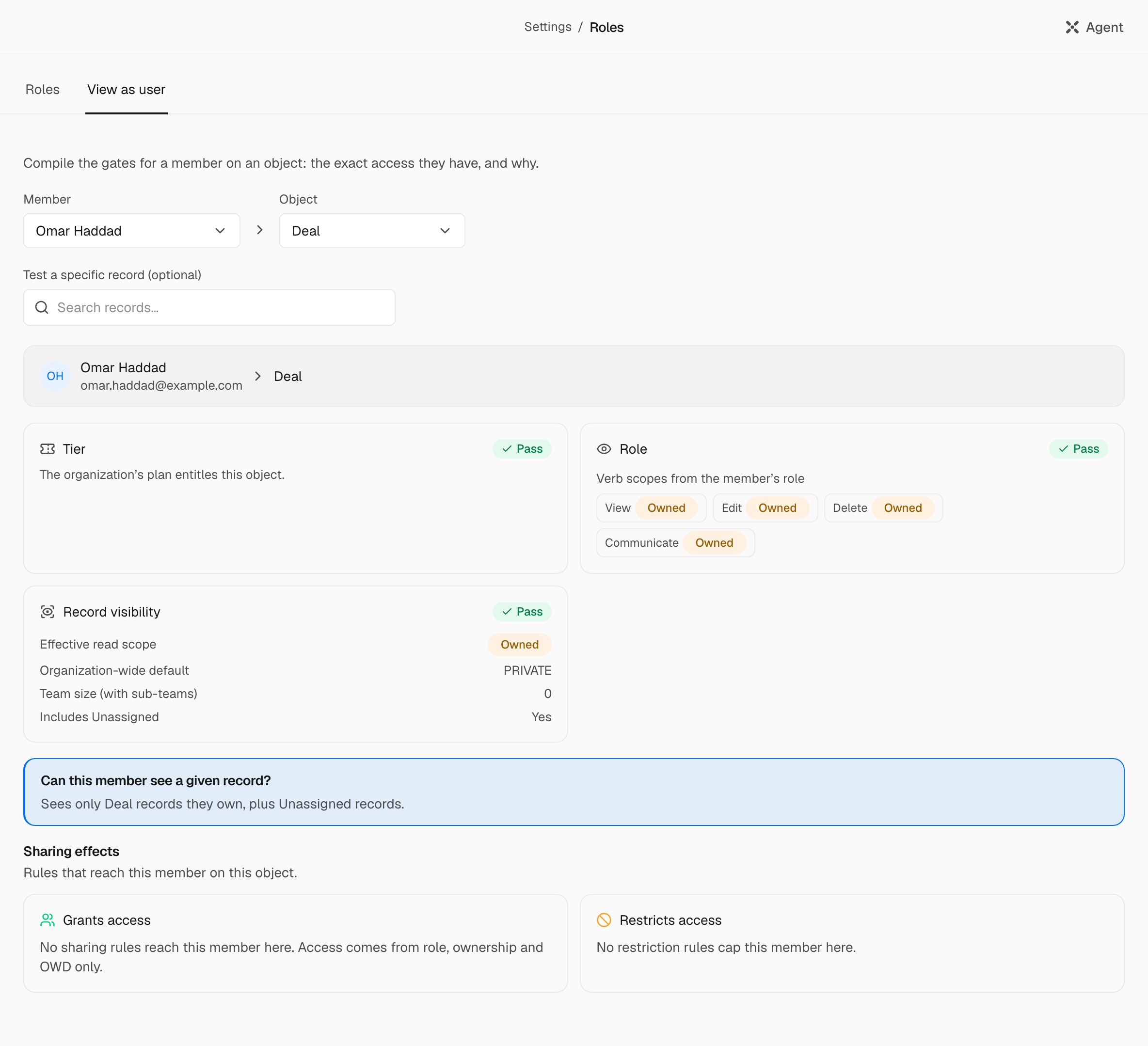
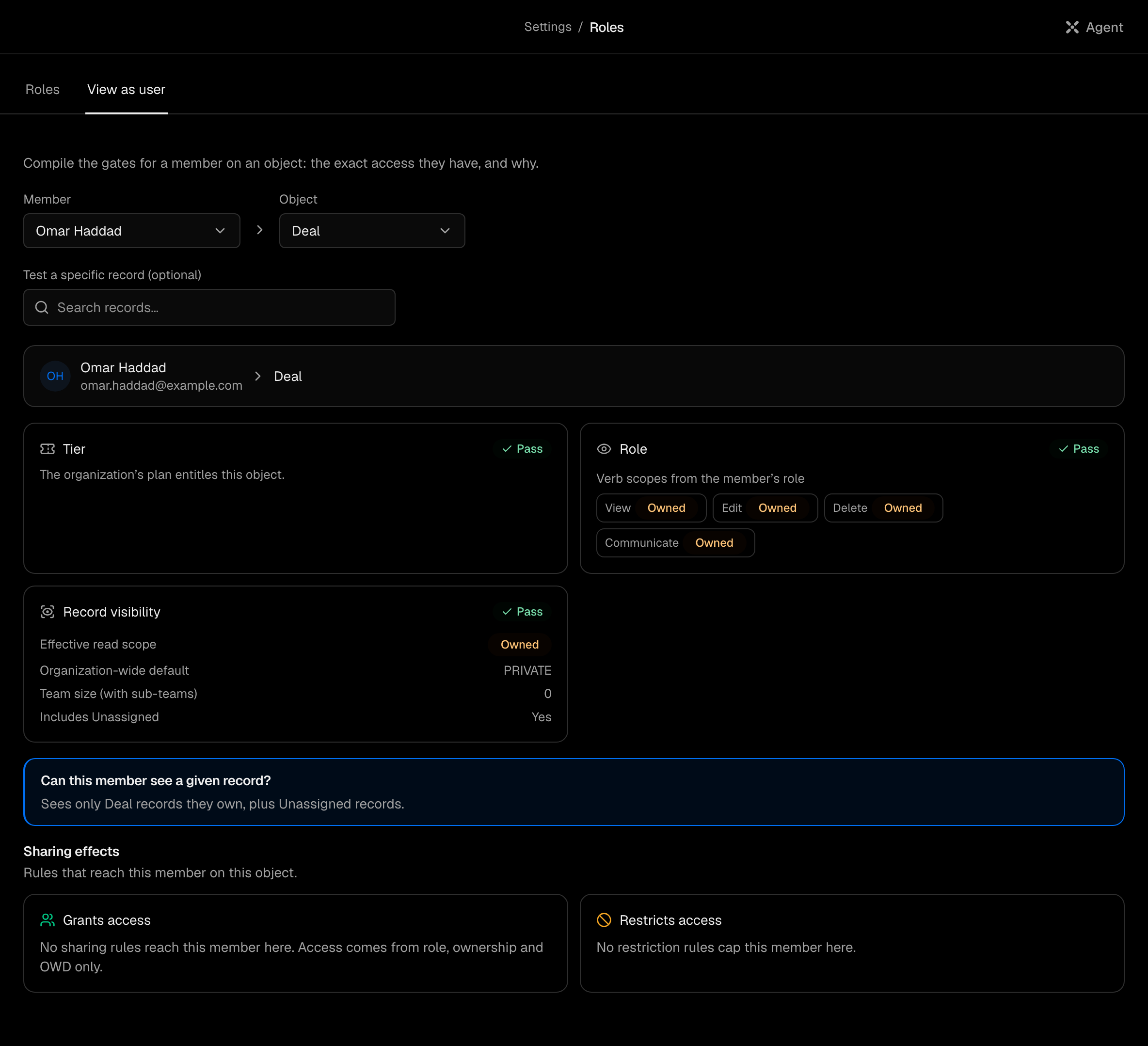
A custom role cannot be deleted yet. View as user, on the Roles page, shows the exact access a member has on an object, and why.
People#
In Settings > Members & access > Members:
- Invite member offers Admin, Member or Viewer, for one address or a list. Someone whose account belongs to another organization joins as an external user. Billing Admin, Manager, External and custom roles are given afterwards, on the member's row, under Role.
- Sign out of this organization ends their current sessions here. They can sign in again at once; nothing else changes.
- Freeze blocks sign-in at once and changes nothing else. Unfreeze undoes it.
- Deactivate member blocks sign-in and keeps everything the person owns and wrote. It can first reassign their records to someone else. Reactivate restores sign-in.
- Hand the organization over, on a member's row, is the Owner's alone. The member accepts by a link sent to their address, within 72 hours, with their second factor; then they are the Owner and the former Owner is an Admin. Both need two-factor authentication, and an external user cannot receive it.
- Nobody freezes, deactivates or signs out themselves, nobody changes the Owner, and nobody changes someone who holds a right they lack.
Roles, freezing and deactivating are never the Agent's, in any mode. The Agent can invite someone, as a card you approve.