Approval rules
Acts that wait for someone's yes before they happen: what a rule can hold, who decides and in what order, and what happens after the last yes.
Availability: Available on every plan. Compare plans
On this page
An approval rule holds an act until the people it names say yes: confirming a purchase order over a threshold, say, or changing a supplier's details. A rule names the act, when it applies and who decides, step by step. Approval rules work on every plan.
They are written in Settings > Members & access > Approval rules by holders of the approvals right: Owners and Admins, and any custom role given it.
What a rule holds#
- What it holds: an Object, and When someone moves it with a Transition (a document step, such as Confirm), creates one, changes its fields (all of them, or those you tick), or archives one (archiving is how a record is deleted). Reads are never held.
- When it applies: a condition in the same filters as your views, read on the record as the act would leave it, as the platform and not as the person who asks. Leave it empty to hold every such act.
- Amounts in: a threshold carries its currency, such as a total over AED 50,000. A record in another currency is converted at the day's rate; with no rate, the act waits.
Who decides#
Steps run in order. For each step: the Approvers, How many must say yes (any one of them, one from each group, or all of them), an optional Only when condition, and When nobody is there (ask whoever holds the approvals right, or skip the step). A rule has up to 10 steps.
| Approver | Who it is |
|---|---|
| Manager of the person who asks | The manager on the requester's employment record in HR, not the Manager role |
| Manager of the employee in a field | The manager of the employee a record names, such as a leave request's employee |
| The role in the record's legal entity | The people appointed HR of the legal entity the record belongs to |
| Everyone with the role | Every holder of a built-in or custom role |
| Everyone in the team | The team's direct members, without its sub-teams |
| The person in a field | The person a record names, such as a deal's owner |
| A named person | One member |
Nobody decides their own request, or one about themselves, such as their own leave. An approver is an active member who can see the record: an approval never opens access. When nobody is left for a step, it goes to the holders of the approvals right, then to the Owner.
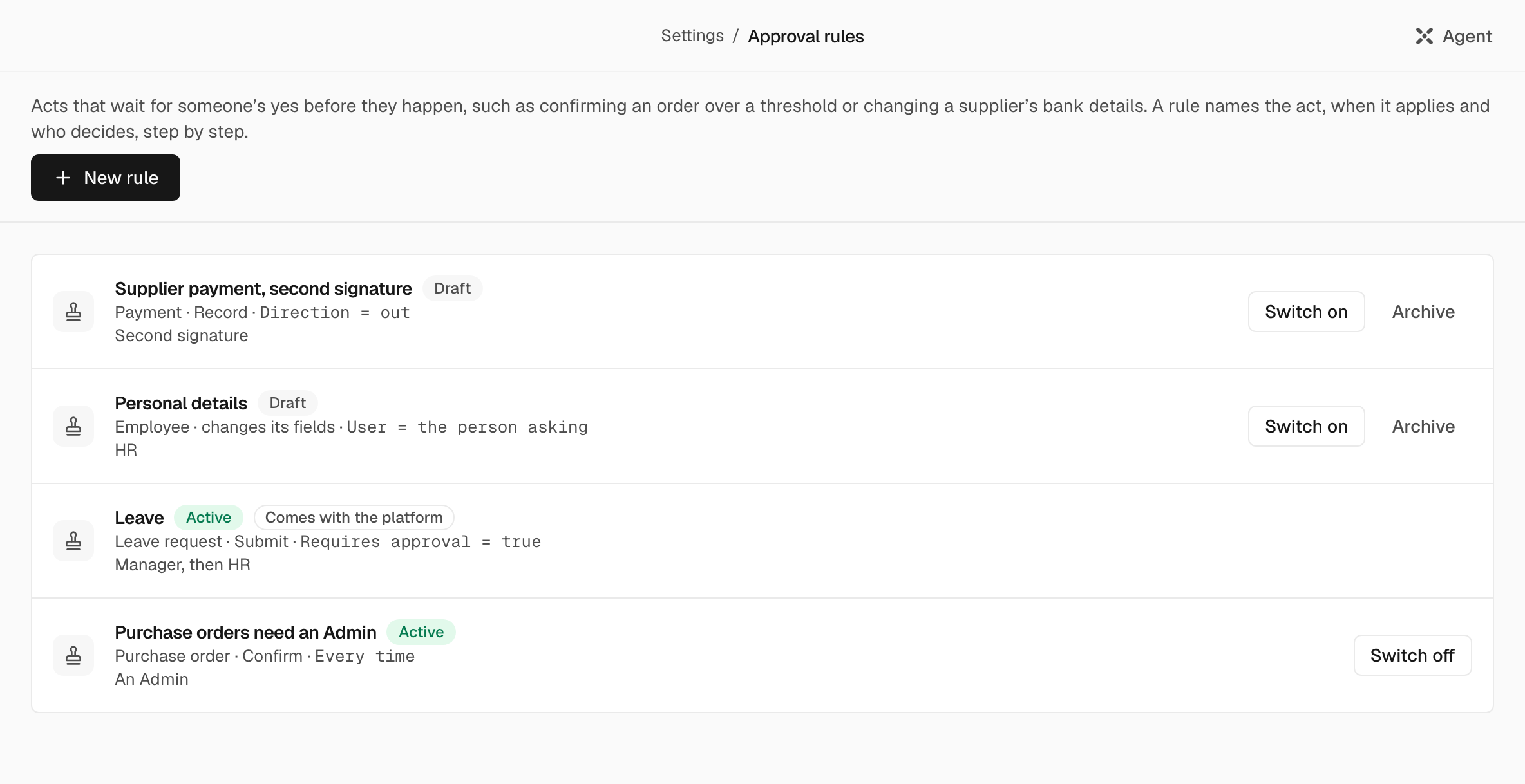
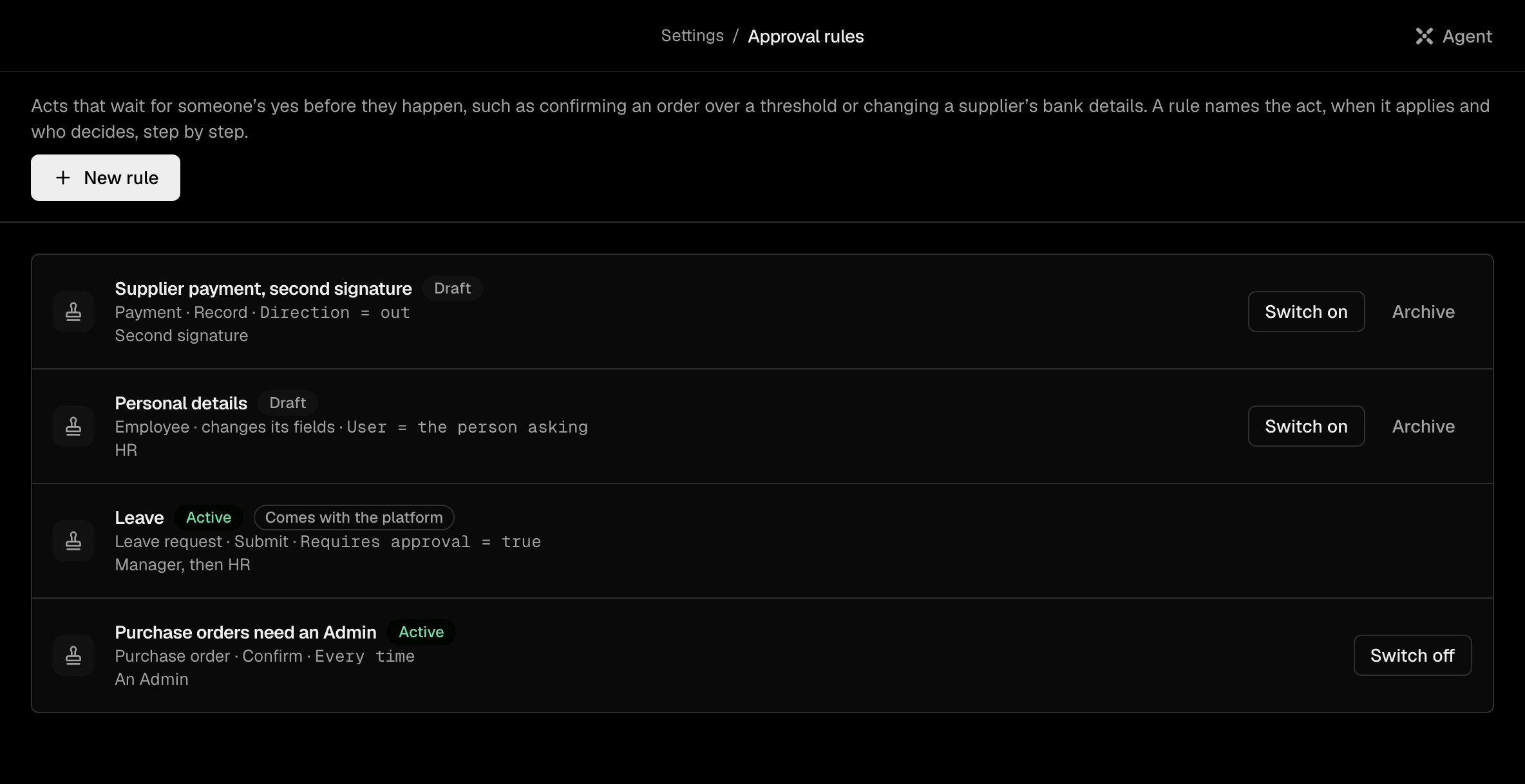
A new rule is saved as a Draft; Switch on makes it hold acts. The product warns, before you switch a rule on, about a step nobody could decide.
Note: Every organization comes with the rule Leave: a leave request that needs approval waits for the employee's manager, then for HR of the employing legal entity. It can be tightened, with steps after its own, but not switched off or loosened.
Two more rules come as drafts, off until you switch them on: Supplier payment, second signature, where a payment out waits for an Admin or the Owner who did not record it, and Personal details, where an employee's change to their own personal details waits for HR of their employer.
What the person who asks sees#
Before they click, a button the rule would hold says so, such as "Confirm needs approval: Manager, then Finance", and asks them to Send for approval. Then:
- the toast "Sent for approval": nothing has changed yet;
- the record's banner, "Waiting for approval", and the record is locked: every other change to it is refused until the approval is decided. While a move or an archive waits, nothing goes out over the record either: no email, message, quote link or PDF;
- My requests, where they can Withdraw request.
The route is fixed when the request is sent: a rule changed later does not change a request already waiting.
What approvers see#
Approvals waiting for you are the first block of Overview, and the queue Waiting for your approval, with the tabs Waiting for me, My requests and, for holders of the approvals or audit right, All. A request shows the act on its record, who asked, the rule, the step, how long it has waited, and the amount with its currency.
The decision page shows What changes, from Now to After approval, and Who decides, step by step. Approve on the last step names the act, such as "Approve and confirm purchase order". Reject asks for a reason, which the person who asked reads. Holders of the approvals right can also Cancel approval, with a reason.
After the last yes#
The act runs once, as the person who asked, with their rights at that moment: approving adds no rights. If it then fails, the approval reads "Approved but not carried out".
An approval nobody decides expires after 30 days: "Expired. Nobody decided in time."
Held for approval, whoever asks#
A rule holds the act whether a person, an API key, a workflow or the Agent started it. No agent writes or switches a rule, and only a person decides an approval, on its page: "An agent, a workflow or an API key cannot." The Agent can tell you which rule holds a step and who decides.
Approvers get a notice in the product, and by email when it stays unread, according to their notification settings.