Webhooks
Signed HTTPS deliveries when a record is created or updated or a document moves, with retries, a delivery log and a verification routine to copy.
Availability: Available on every plan. Compare plans
On this page
Add an endpoint to this project that receives SalexHub webhooks. Each delivery is a POST with a JSON body and four headers: X-SalexHub-Signature ("sha256=" and 64 lowercase hex characters), X-SalexHub-Timestamp (Unix seconds), X-SalexHub-Event (such as invoice.issued) and X-SalexHub-Delivery (the same id on every attempt of one delivery). 1. Read the raw request body before any JSON parsing. 2. Compute HMAC-SHA256, in lowercase hex, over the timestamp, a dot and the raw body, keyed with the whole signing secret including its "whsec_" prefix, read from the SALEXHUB_WEBHOOK_SECRET environment variable. Refuse to start when that variable is missing or does not start with "whsec_". Compare it with the signature in constant time, and answer 401 when it differs. 3. Answer 401 when the timestamp is more than 300 seconds away from the server's clock. 4. Skip a delivery whose X-SalexHub-Delivery id was seen before, and keep the ids in a durable store. 5. Answer with any 2xx within 10 seconds, and do the work after answering. Branch on X-SalexHub-Event. Check the routine against the test vector in https://salexhub.com/docs/developers/webhooks.md.
A webhook sends a signed POST to your HTTPS endpoint when something happens in the organization: a record is created or updated, or a document takes a step, such as a quote accepted or an invoice issued. Webhooks work in every organization, whatever the plan.
Add an endpoint#
Owners and Admins add endpoints in Settings > Developers > Webhooks.
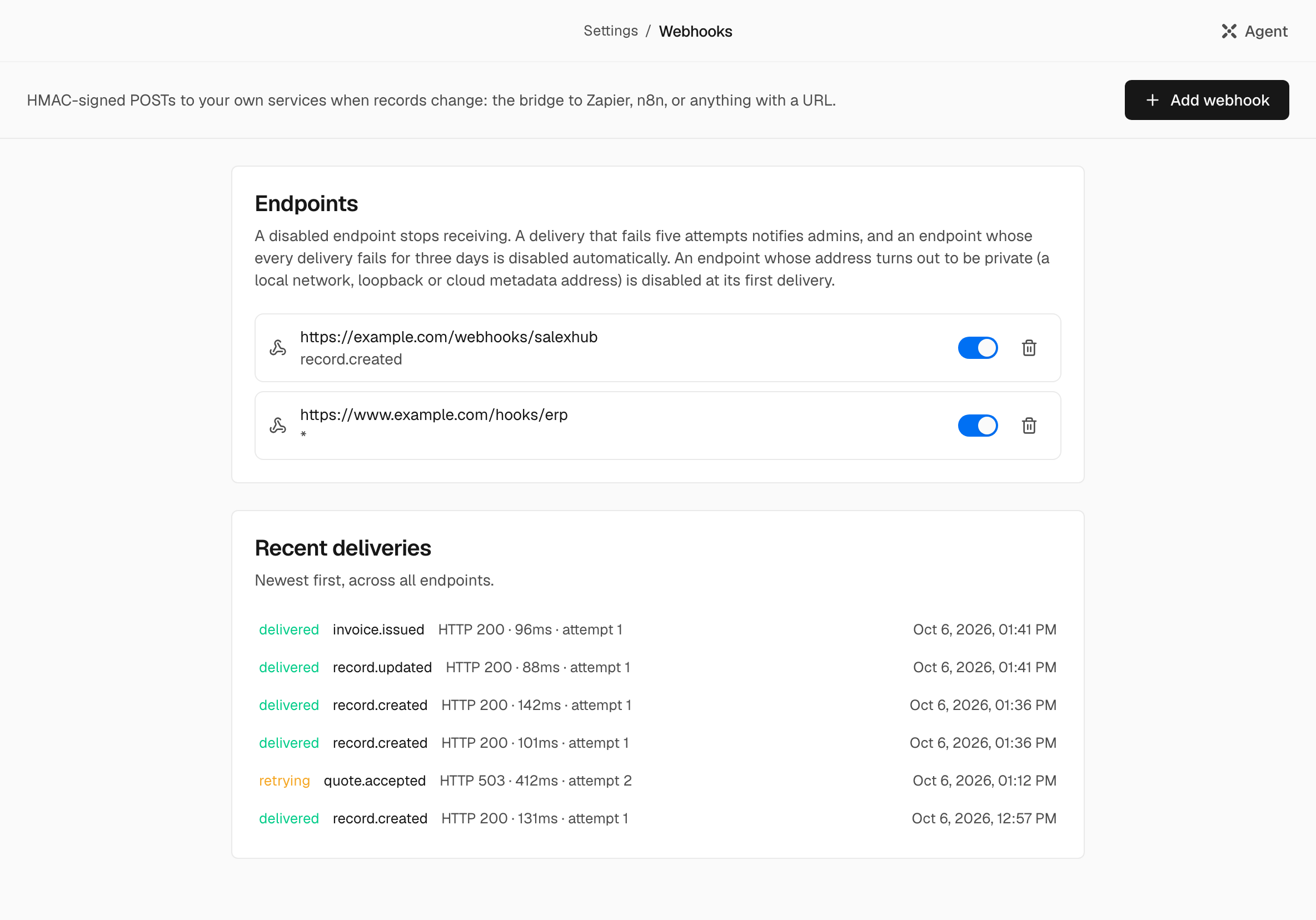
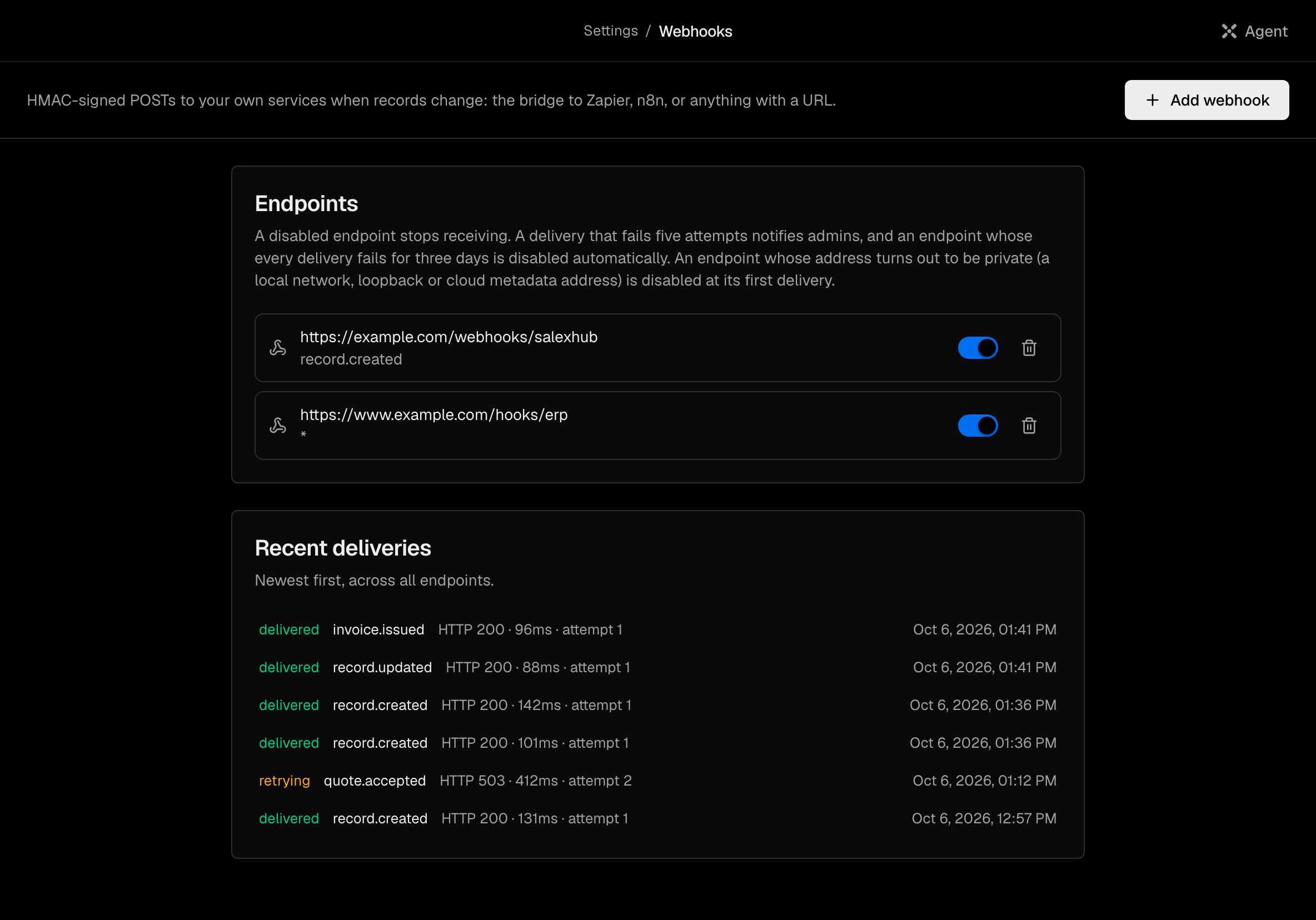
Choose Add webhook#
Enter the URL of your endpoint. It must be https:// and reach a public address.
Pick the events#
The screen offers Record created (ticked by default), Record updated and All events. Every other event below, such as invoice.issued, comes only with All events.
Store the signing secret#
After Create, the product shows the endpoint's signing secret once. Copy it with Copy signing secret and store it: it cannot be read again.
An organization can have up to 20 live endpoints. An address that resolves to a private, loopback, link-local or cloud-metadata network is refused, when the endpoint is added and again at every delivery.
Deleting an endpoint archives it. A restored endpoint comes back switched off, with its signing secret, until you turn it on.
Note: Only a person creates endpoints, on this screen. The Agent can list endpoints and read the delivery log, and it can propose switching an endpoint on or off or deleting it, as a card you approve.
Events#
| Event | When it is sent |
|---|---|
record.created | A record of any object type is created: in the app, by the Agent, by a form or by a workflow. |
record.updated | A record's values change. Every document step below also sends this, beside its own event. |
quote.sent | A quote is marked as sent. Its lines and fields are locked. |
quote.accepted | The customer accepts the quote. |
quote.declined | The customer declines the quote. |
quote.expired | The quote lapsed unanswered past its validity date. |
quote.recalled | A sent, declined or expired quote goes back to a draft. |
quote.superseded | An accepted quote is replaced by a revision. It keeps its number and lines and can no longer be invoiced. |
invoice.issued | An invoice is issued: its issue date is stamped and it is locked. |
invoice.paid | An invoice is marked paid in full. |
invoice.voided | An issued invoice is voided. |
invoice.payment_undone | A payment mark is undone, and the invoice is issued again. |
credit_note.issued | A credit note is issued against an invoice: it takes its number from its own series and is locked. |
credit_note.voided | An issued credit note is voided, and the invoice owes again what it took off. It keeps its number. |
payment.recorded | A payment is recorded and takes its number. |
payment.voided | A recorded payment is voided. What it settled is owed again. |
manual_journal.posted | A manual journal entry is posted. |
manual_journal.reversed | A posted journal entry is reversed. |
opening_balance.posted | Opening balances are posted: the balances the previous books ended with enter these books, dated the day they start. |
year_end_close.posted | A fiscal year is closed: its income and expense move to retained earnings, and the books are locked through its last day. |
supplier_bill.posted | A supplier bill is posted. |
supplier_bill.voided | A posted supplier bill is voided. |
purchase_order.confirmed | A purchase order is confirmed: it takes its number and its lines are locked. |
purchase_order.closed | A purchase order is closed, by a person or when every line was received. |
purchase_order.cancelled | A confirmed purchase order is canceled. It keeps its number. |
goods_receipt.posted | A goods receipt is posted: its stock movements are written and it takes its number. |
goods_receipt.reversed | A posted goods receipt is reversed with mirror movements. |
sales_order.confirmed | A customer's order is confirmed: it takes its number, its lines are locked, and the stocked goods it names are reserved. |
sales_order.closed | A confirmed sales order is closed, by a person or when every line was delivered. What is still reserved is released. |
sales_order.cancelled | A confirmed sales order is canceled. It keeps its number, and what is still reserved is released. |
delivery.posted | A delivery is posted: the goods leave stock and it takes its number. |
delivery.reversed | A posted delivery is reversed, and the goods return to stock. |
stock_adjustment.posted | A stock adjustment is posted. |
stock_adjustment.reversed | A posted stock adjustment is reversed. |
employment.started | An employment starts. |
employment.notice_given | Notice is given on an employment. |
employment.ended | An employment ends. |
employment.withdrawn | A draft employment is withdrawn before it starts. |
employment.amended | New terms take effect on an active employment. |
leave_request.approved | Leave is granted: at submit when its leave type needs no approval, otherwise when the approvers say yes. |
leave_request.cancelled | Approved leave is canceled, and its days return to the balance. |
record.erased | A person is erased from the organization. The delivery carries the record's type and id and nothing else, so you can delete your own copy. |
import.completed | An import of more than ten rows finishes. One delivery for the whole file, with its counts and no values. |
For a document step, an endpoint on All events receives two deliveries, record.updated and the step's own event, with different delivery ids. Branch on X-SalexHub-Event. It may also receive the steps of an industry pack's own documents, named the same way, such as offer.accepted.
No event is sent when a record is deleted. When a person is erased, their deliveries still waiting to be sent fail instead, and endpoints on All events receive record.erased.
A file of up to ten rows is imported row by row, and each record it creates sends record.created. A larger file is imported in the background and sends one import.completed when it finishes; its contacts, companies and deals send no record.created one by one.
The request#
Each delivery is a POST with a JSON body:
| Header | Value |
|---|---|
Content-Type | application/json |
X-SalexHub-Signature | sha256= followed by 64 lowercase hex characters |
X-SalexHub-Event | The event type, such as invoice.issued |
X-SalexHub-Delivery | The delivery's id. Every attempt of one delivery carries the same id: dedupe on it. |
X-SalexHub-Timestamp | Unix seconds, taken again at each attempt |
The body carries the delivery id, the event, the attempt number (1 to 5) and the record:
{
  "id": "cmg0p3xa20001m2c7d4f8h6jq",
  "event": "record.updated",
  "attempt": 1,
  "data": {
    "event": "record.updated",
    "objectType": "deal",
    "recordId": "cmg0p3x7k0042q8w1z5t9r2yb",
    "changedFields": ["stage"],
    "values": {
      "title": "Northwind Traders annual renewal",
      "stage": "won",
      "value": 48000,
      "currency": "AED",
      "expected_close_date": "2026-10-15"
    },
    "occurredAt": "2026-09-26T09:30:00.000Z"
  }
}valuesis the record as the organization's default field permissions show it: a hidden field is absent, a masked one arrives as{"__masked": true, "hint": "..."}. Numbers are JSON numbers, datesYYYY-MM-DD, references record ids.- Costs and margins arrive only when the person who created the endpoint holds See costs and margins (see Roles and permissions). Otherwise they are masked.
changedFieldsnames the fields the write or the step changed.- The body does not carry a document's lines, such as a quote's line items.
- For
record.erased,dataholds onlyevent,objectType,recordIdandoccurredAt. Forimport.completed, it holdsevent,objectType,batchId, the countsrows,created,updated,skippedandrefused, andoccurredAt.
Verify the signature#
The signature is HMAC-SHA256, in lowercase hex, over the timestamp, a dot and the raw body: ${timestamp}.${body}. The key is the whole signing secret, including its whsec_ prefix.
Verify the raw bytes as received, before parsing: the JSON is not re-serialized the same way. Reject a timestamp more than 5 minutes away from your clock, and keep the delivery ids you have seen to drop replays.
import { createHmac, timingSafeEqual } from "node:crypto";

const TOLERANCE_SECONDS = 300;

/**
 * Verify one SalexHub webhook delivery.
 * rawBody: the request body exactly as received, before any JSON parsing.
 * secret: the whole signing secret shown once in Settings (it starts with "whsec_").
 */
export function verifySalexHubWebhook(
  rawBody: Buffer,
  signatureHeader: string | undefined, // X-SalexHub-Signature
  timestampHeader: string | undefined, // X-SalexHub-Timestamp
  secret: string,
  nowSeconds: number = Math.floor(Date.now() / 1000),
): boolean {
  if (!secret.startsWith("whsec_")) return false; // an empty or wrong key would verify a forged delivery
  if (!signatureHeader?.startsWith("sha256=") || !timestampHeader) return false;
  if (!/^\d+$/.test(timestampHeader)) return false;
  if (Math.abs(nowSeconds - Number(timestampHeader)) > TOLERANCE_SECONDS) return false;

  const expected = createHmac("sha256", secret)
    .update(`${timestampHeader}.`)
    .update(rawBody)
    .digest("hex");
  const received = signatureHeader.slice("sha256=".length).toLowerCase();

  const a = Buffer.from(expected, "utf8");
  const b = Buffer.from(received, "utf8");
  return a.length === b.length && timingSafeEqual(a, b);
}import hashlib
import hmac
import re
import time
from typing import Optional
TOLERANCE_SECONDS = 300
def verify_salexhub_webhook(
raw_body: bytes,
signature_header: Optional[str], # X-SalexHub-Signature
timestamp_header: Optional[str], # X-SalexHub-Timestamp
secret: str,
now_seconds: Optional[int] = None,
) -> bool:
"""Verify one SalexHub webhook delivery.
raw_body: the request body exactly as received, before any JSON parsing.
secret: the whole signing secret shown once in Settings (it starts with "whsec_").
"""
if not secret.startswith("whsec_"): # an empty or wrong key would verify a forged delivery
return False
if not signature_header or not signature_header.startswith("sha256=") or not timestamp_header:
return False
if not re.fullmatch(r"[0-9]+", timestamp_header):
return False
now = int(time.time()) if now_seconds is None else now_seconds
if abs(now - int(timestamp_header)) > TOLERANCE_SECONDS:
return False
expected = hmac.new(secret.encode(), timestamp_header.encode() + b"." + raw_body, hashlib.sha256).hexdigest()
received = signature_header[len("sha256="):].lower()
return hmac.compare_digest(expected, received)A receiver answers with any 2xx within 10 seconds. Do the work after answering:
import { createServer } from "node:http";
import { verifySalexHubWebhook } from "./verify-salexhub";

const SECRET = process.env.SALEXHUB_WEBHOOK_SECRET ?? ""; // the whole "whsec_..." value
if (!SECRET.startsWith("whsec_")) {
  throw new Error("SALEXHUB_WEBHOOK_SECRET is missing: refusing to start without it");
}
const seen = new Set<string>(); // keep delivery ids in a durable store in production

createServer((req, res) => {
  const chunks: Buffer[] = [];
  req.on("data", (chunk: Buffer) => chunks.push(chunk));
  req.on("end", () => {
    const rawBody = Buffer.concat(chunks);
    const header = (name: string) => {
      const v = req.headers[name];
      return Array.isArray(v) ? v[0] : v;
    };
    if (!verifySalexHubWebhook(rawBody, header("x-salexhub-signature"), header("x-salexhub-timestamp"), SECRET)) {
      res.writeHead(401).end();
      return;
    }
    const deliveryId = header("x-salexhub-delivery") ?? "";
    if (!seen.has(deliveryId)) {
      seen.add(deliveryId);
      const delivery = JSON.parse(rawBody.toString("utf8")) as {
        event: string;
        data: { objectType: string; recordId: string; changedFields: string[] };
      };
      queueMicrotask(() => console.log(delivery.event, delivery.data.objectType, delivery.data.recordId));
    }
    res.writeHead(204).end();
  });
}).listen(3000);
A test vector#
With the invented secret whsec_5f2b8c1e9a7d4036b1c2e8f09d3a6b7c4e5f1a2b3c4d5e6f, the timestamp 1790415002 and this exact body, the signature is sha256=0749f87ae850f25951b1c3df1575aa8461ddfbe082dc345057bbfb83dbee6b71:
{"id":"cmg0p3xa20001m2c7d4f8h6jq","event":"record.updated","attempt":1,"data":{"event":"record.updated","values":{"stage":"won","title":"Northwind Traders annual renewal","value":48000,"currency":"AED","primary_contact":"cmfz81d2c0007h4n6s3k0v9ue","expected_close_date":"2026-10-15"},"recordId":"cmg0p3x7k0042q8w1z5t9r2yb","objectType":"deal","occurredAt":"2026-09-26T09:30:00.000Z","changedFields":["stage"]}}Pass nowSeconds: 1790415002 (in Python, now_seconds=1790415002) when you check the vector, or the 5-minute window rejects it.
Retries and failures#
- Only a
2xxcounts as delivered. A redirect, any other status, a timeout after 10 seconds or a refused connection is a failure. - A failed delivery is tried again 5 minutes, 30 minutes, 2 hours and 12 hours after the previous attempt: five attempts in all. Every attempt carries the same
X-SalexHub-Delivery. - When the fifth attempt fails, the delivery is marked failed and is not sent again. Owners and Admins get a notice in the product, "A webhook endpoint is failing". The endpoint stays on, and later events are still sent.
- An endpoint whose receiver has failed every delivery for three days since its last success is switched off, with the notice "A webhook endpoint was disabled". A delivery to a refused address switches the endpoint off at once.
- While an endpoint is off, new events are not queued for it, and switching it back on does not resend what it missed.
- An endpoint acts for the person who created it. While that person is no longer an active member or is waiting to be let back in, and while the organization is closed, its events are filed as failed with the reason and are never sent later. A
record.erasednotice still goes.
The delivery log#
Recent deliveries, on the same page, lists the latest 25 deliveries across all endpoints, newest first: the event, the status (pending, retrying, delivered or failed), the HTTP status or the error, the time taken and the attempt number. A delivery that was never sent says why, such as "Not sent: the person who created this endpoint is no longer an active member". The Agent can answer "did my webhook fire?" from the same log.
Once a delivery is delivered or has failed for good, the product keeps its event, the record's type and id and the fields that changed, and drops the record's values.